
Role: UX Design lead
Timeline: 10 months (3 phases)
Team: User researcher, Product manager, 2x Front-end developers, 3x Back-end developers

What is 'Projects'?
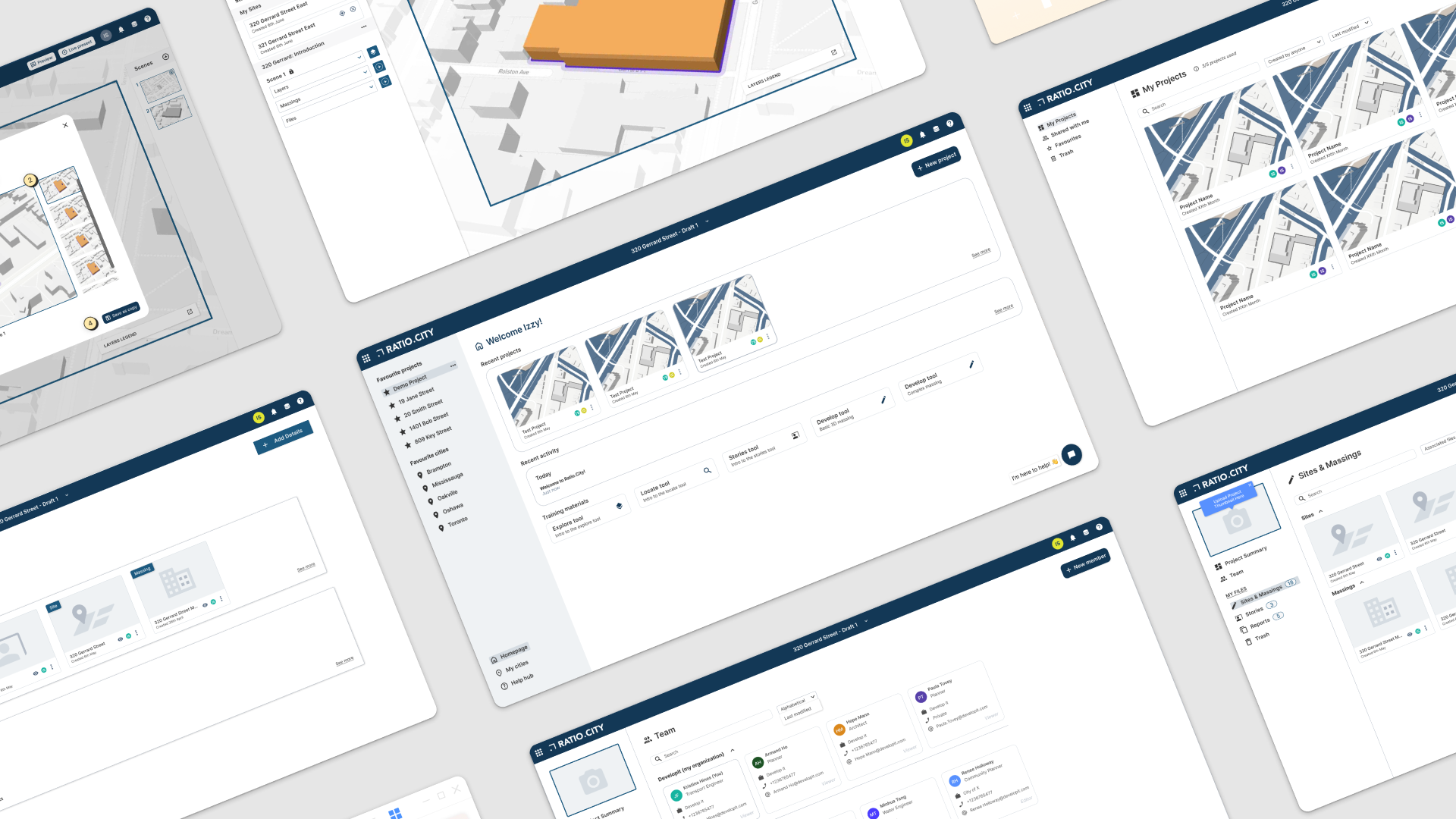
Project Hub: Better Organisation and Teamwork
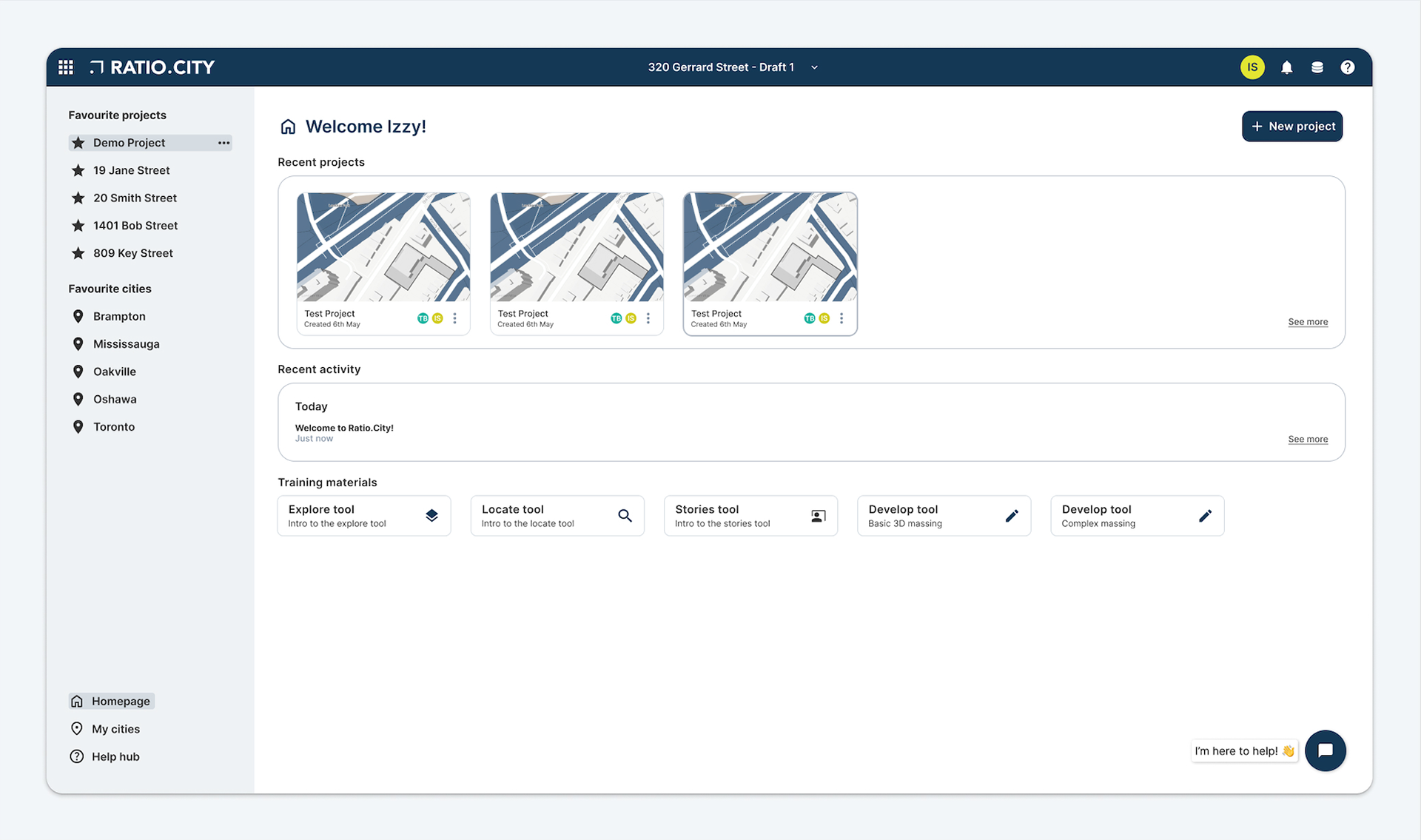
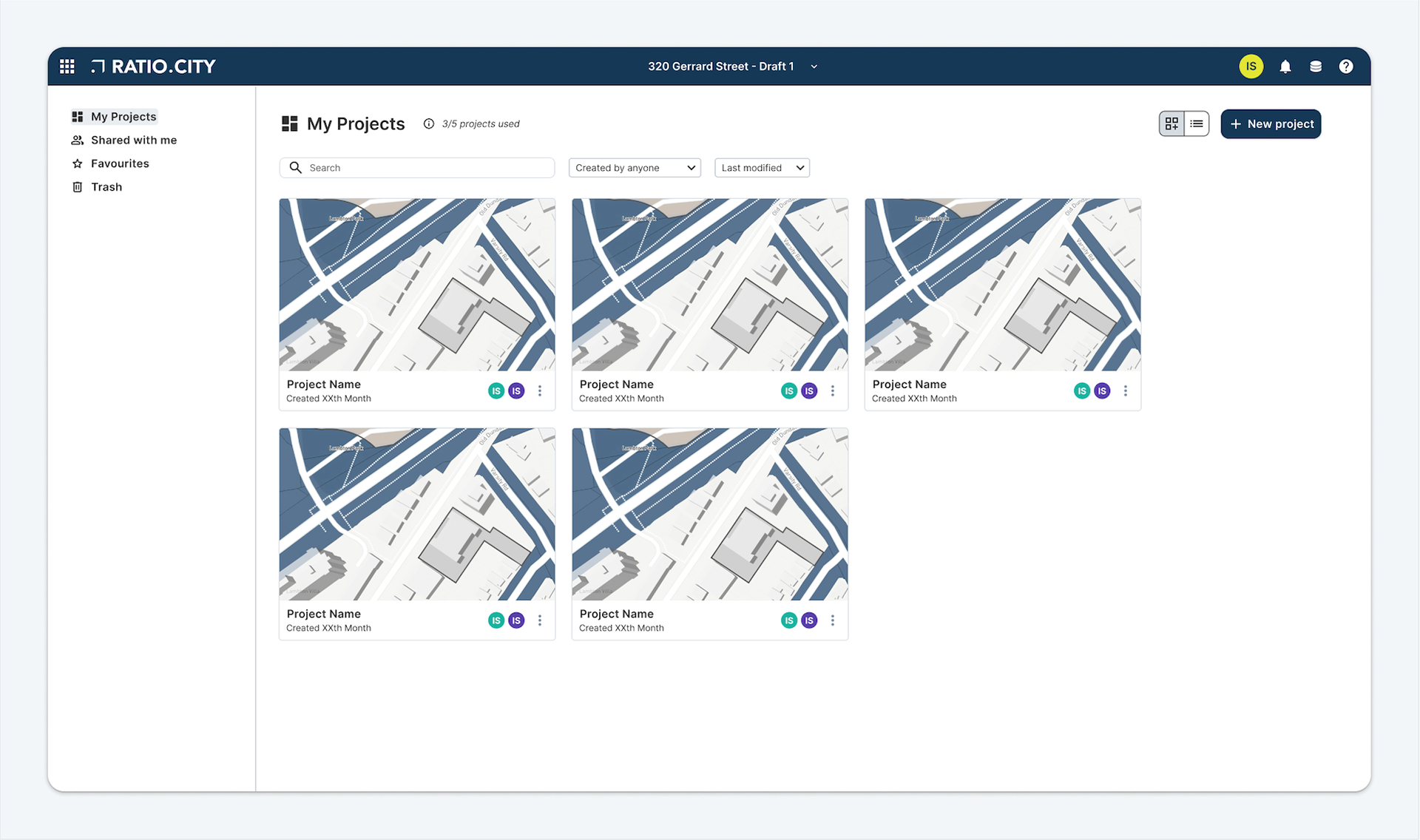
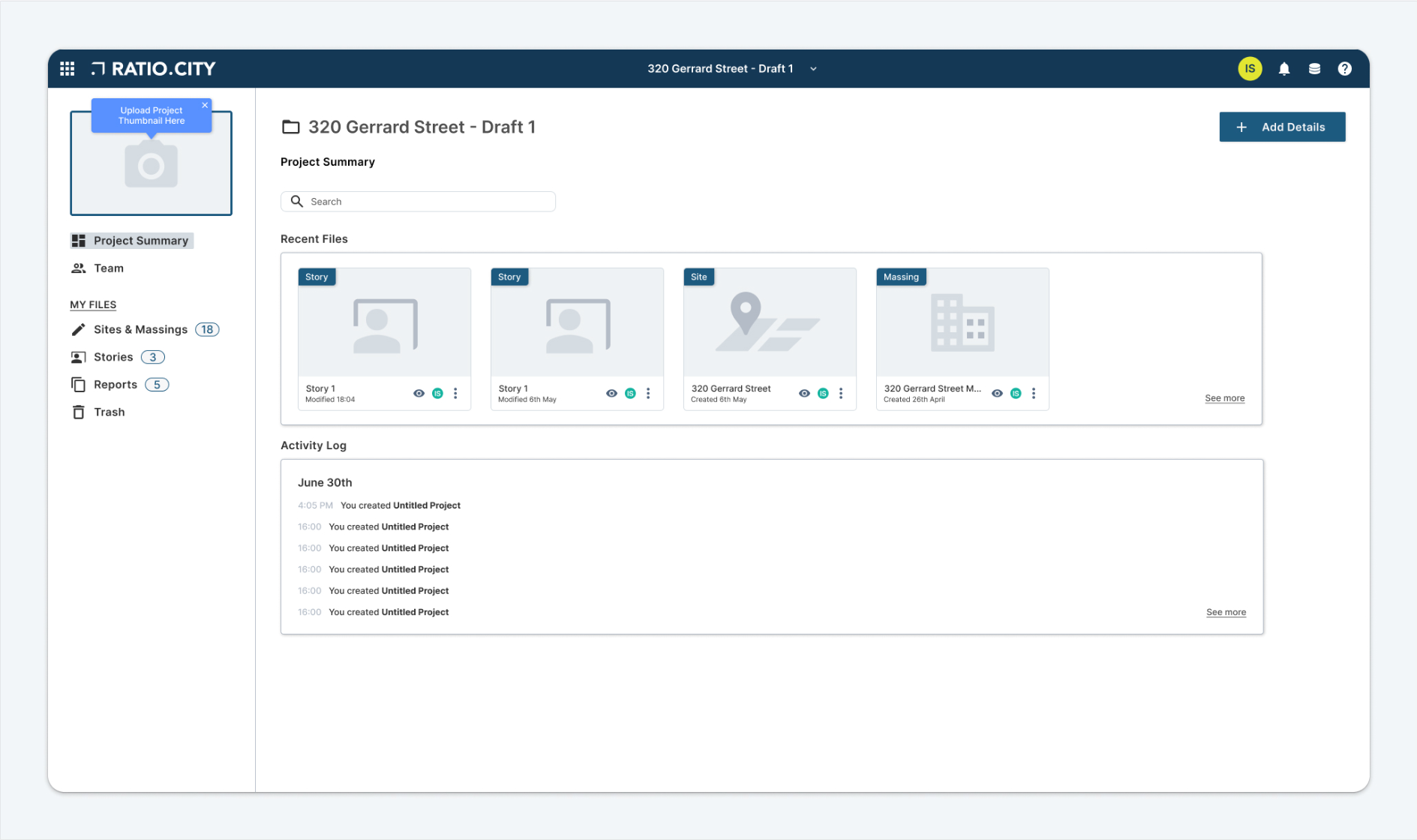
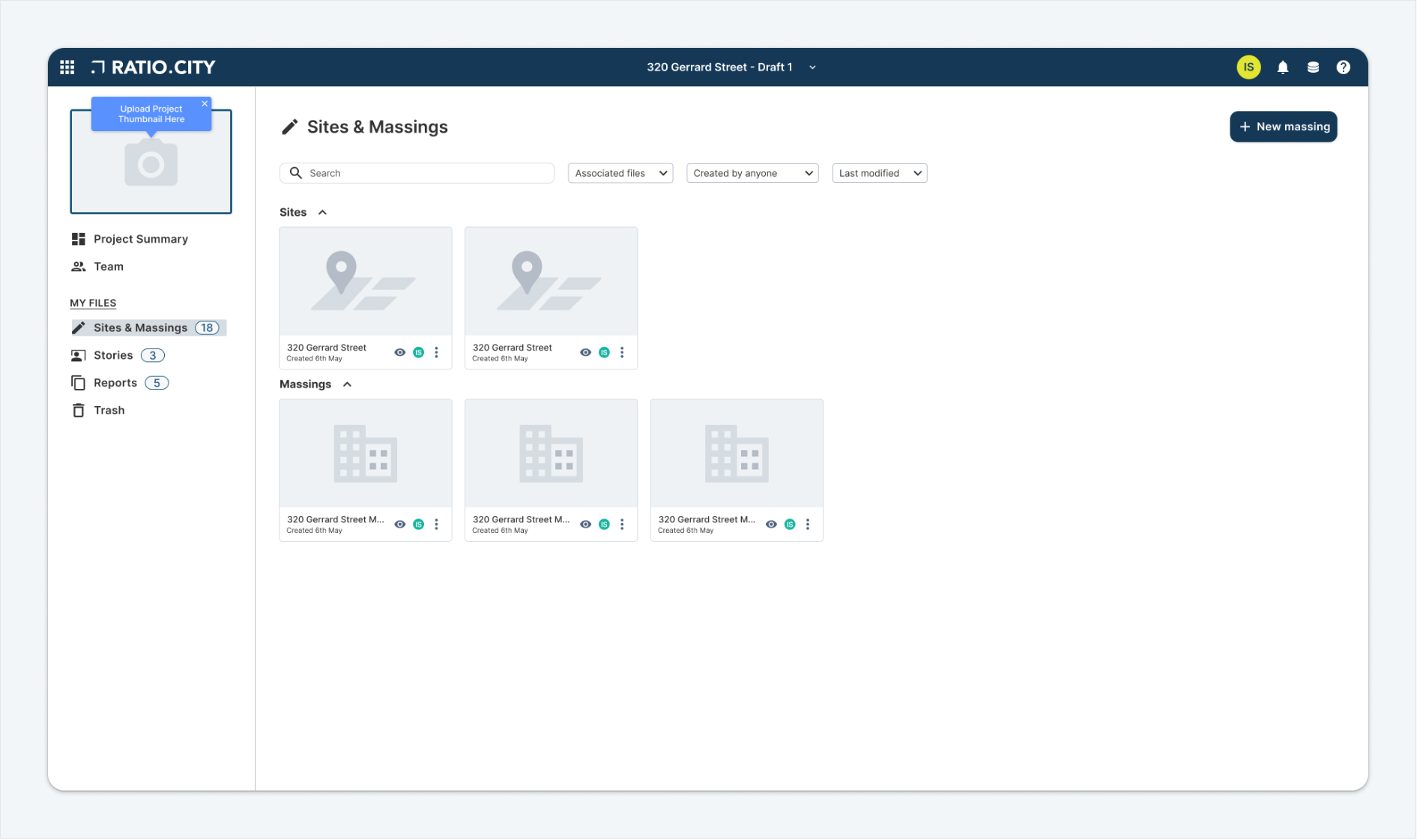
The new Project Hub helps our customers stay organised by keeping all project files and information in one place. Instead of searching through scattered documents, everyone can find what they need quickly and know they're looking at the most current version.
Teams Feature: Secure Collaboration
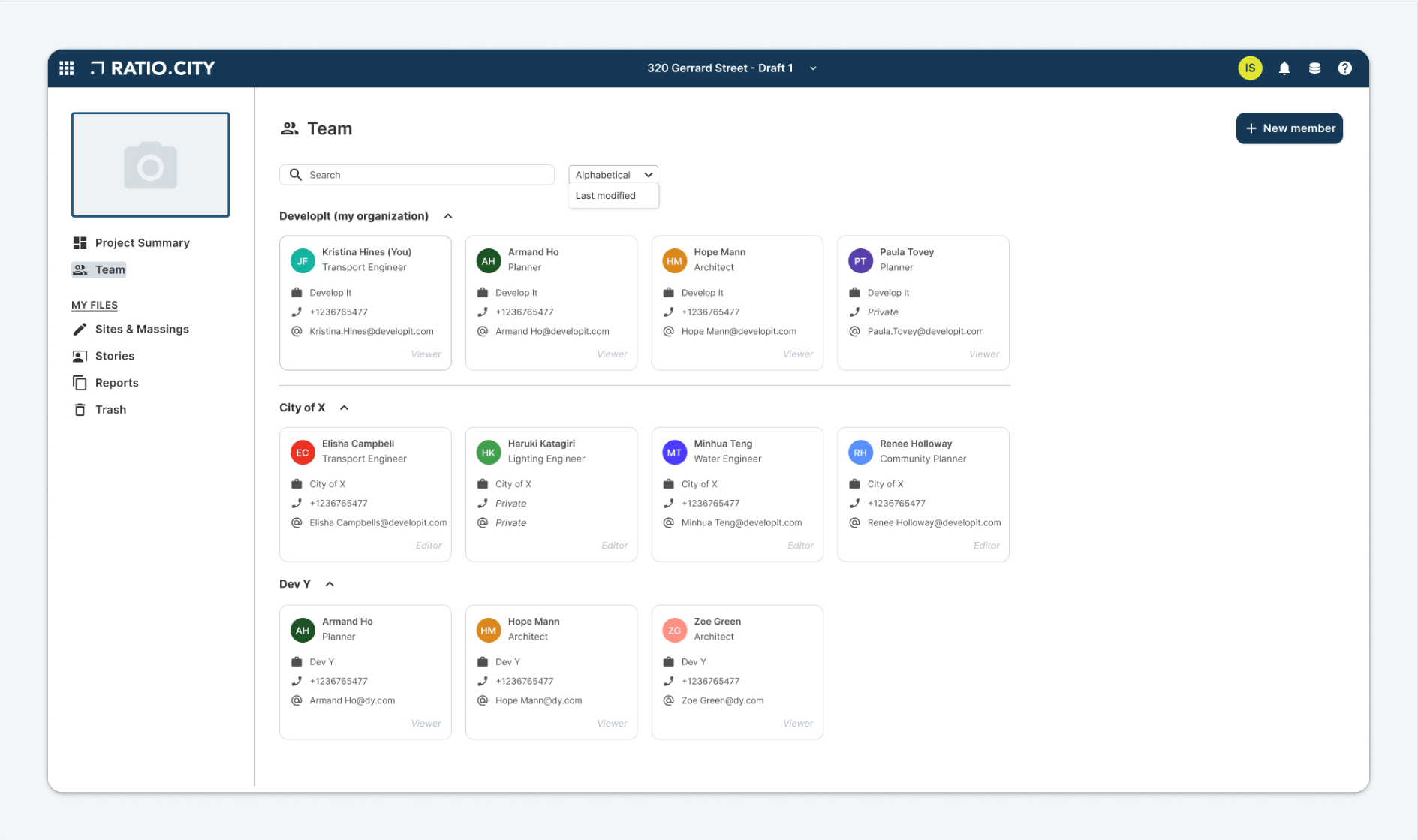
The Teams feature lets you create groups within your company and invite other organisations to join your project. You control who can see and edit what information. This means developers, city staff, consultants, and other partners can work together securely on the same project.
Key goals:
• Allow users to store project files in one organised location
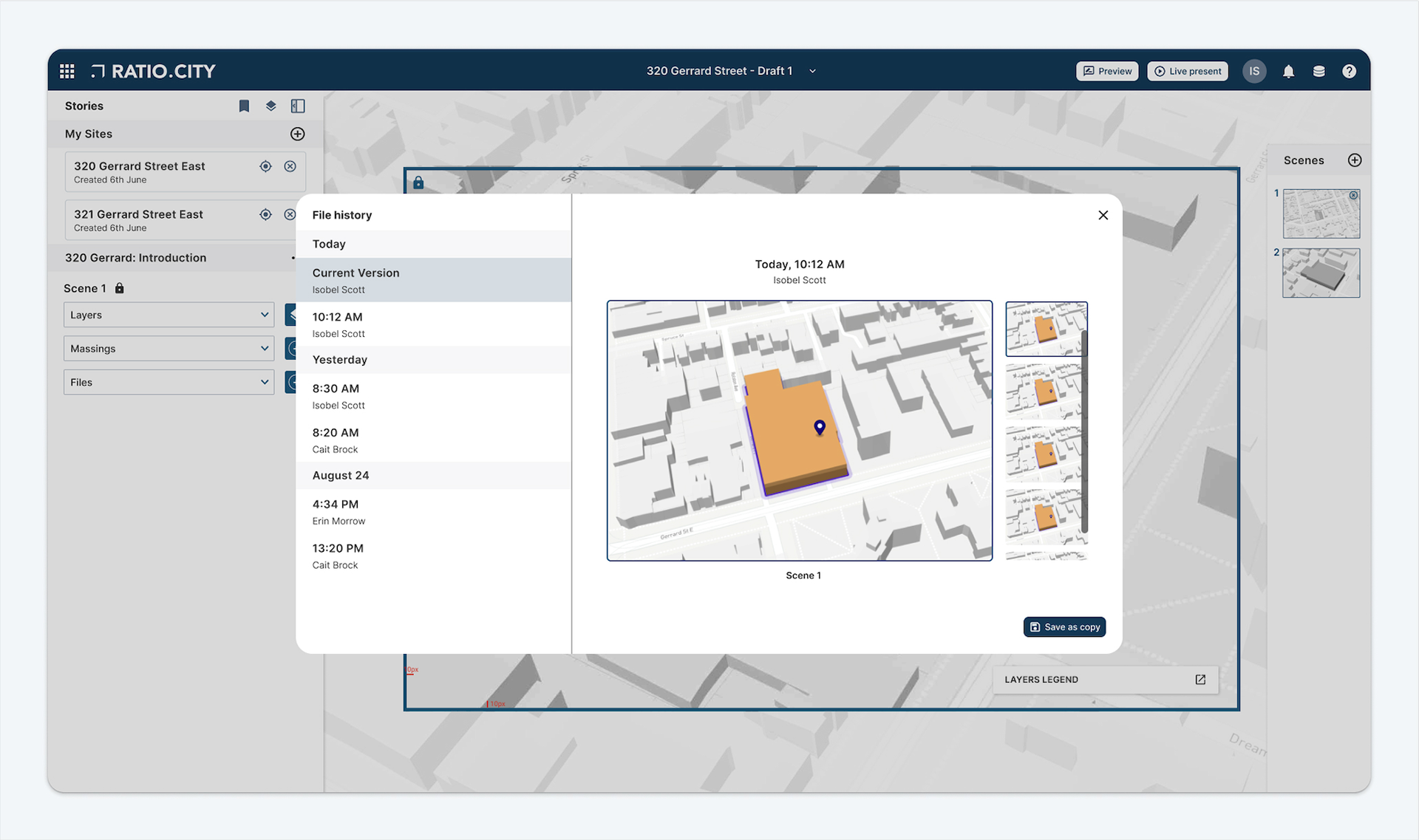
• Allow teams to all work on the same up-to-date documents
• Send automatic notifications when changes are made
• Allow multiple people to contribute simultaneously
• Provide secure sharing between different organisations
This streamlined approach reduces confusion, improves communication, and helps projects move forward more efficiently.
The Problems
• The planning industry is lacking in good collaboration tools; in turn this is having a huge impact on approval delays. We received $1m funding from the government to try and improve inter-team collaboration
• Analytics revealed our users are only saving an average of 2 sites per year but viewing 52.
• Analytics revealed our users are only saving an average of 2 sites per year but viewing 52.
• User feedback stated people are uncomfortable sharing work files in case someone saves over it or makes irreversible changes; issues of trust.
• 12 users reported using 'screenshots' to save their work; indicates a need for saving, downloading or presentation functionality.
• Same site often saved multiple times because users lose track of it

Research & testing plans
Competitor research
I reviewed competitors’ product offerings and conducted best practice research focused on file management and collaboration tools we knew from prior research our users would be familiar with (such as Microsoft Office and Google Drive. This was documented in sections: collaborative working, projects & teams and file management.
Setting out testing structure
As this is such a large, complex and new build, we decided to break down our Beta release into phases:
3 phases over 3 months to a limited group of customers (12 users, different industries)
Phase 1 (January):
Phase 2 (February)
Phase 3 (March)
Each phase involved:
Beta release - Beta UAT - General release - General UAT
Beta release - Beta UAT - General release - General UAT
Design ideation
Internal workshop
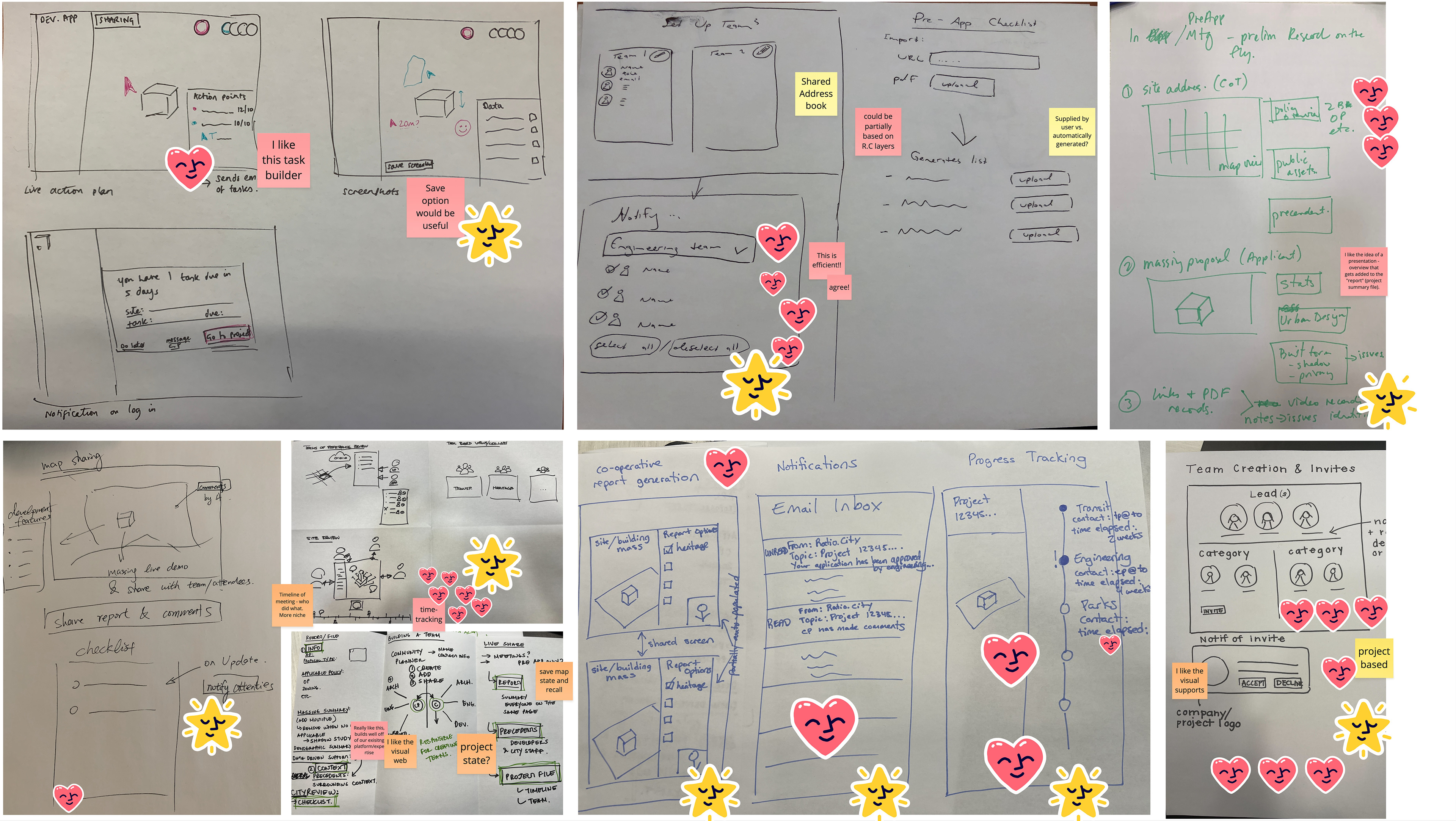
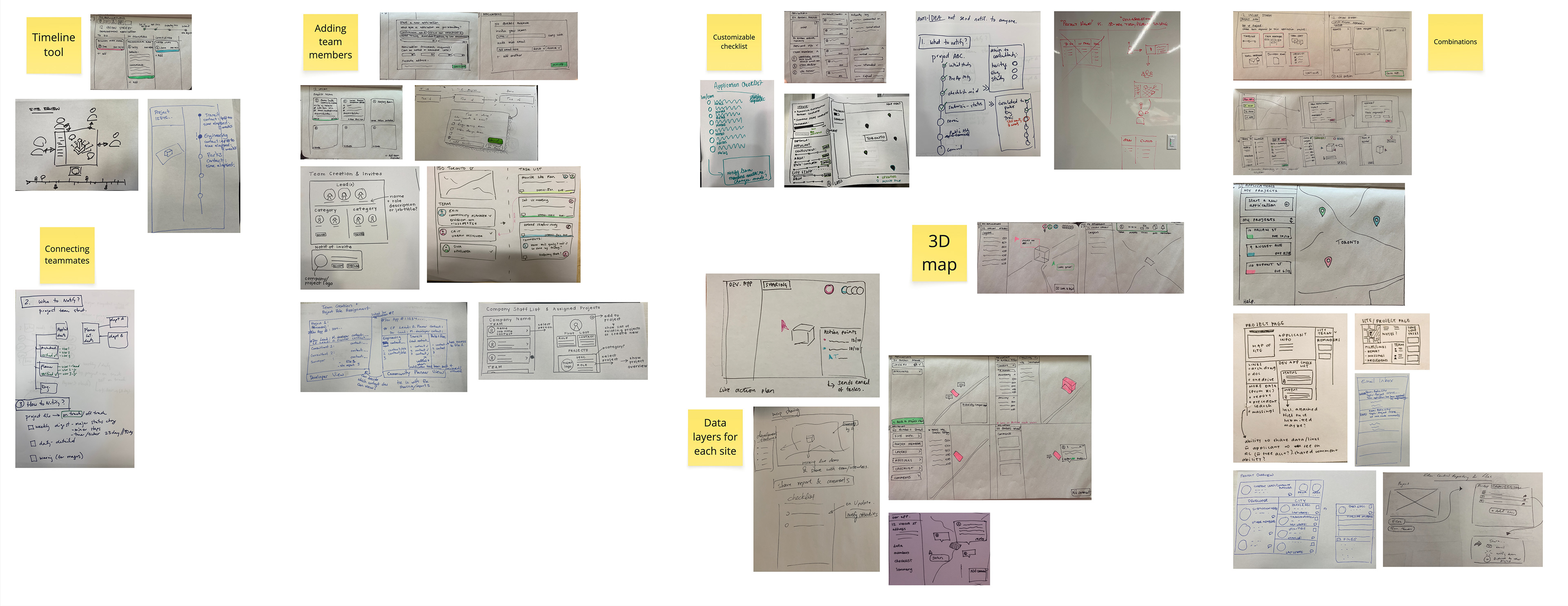
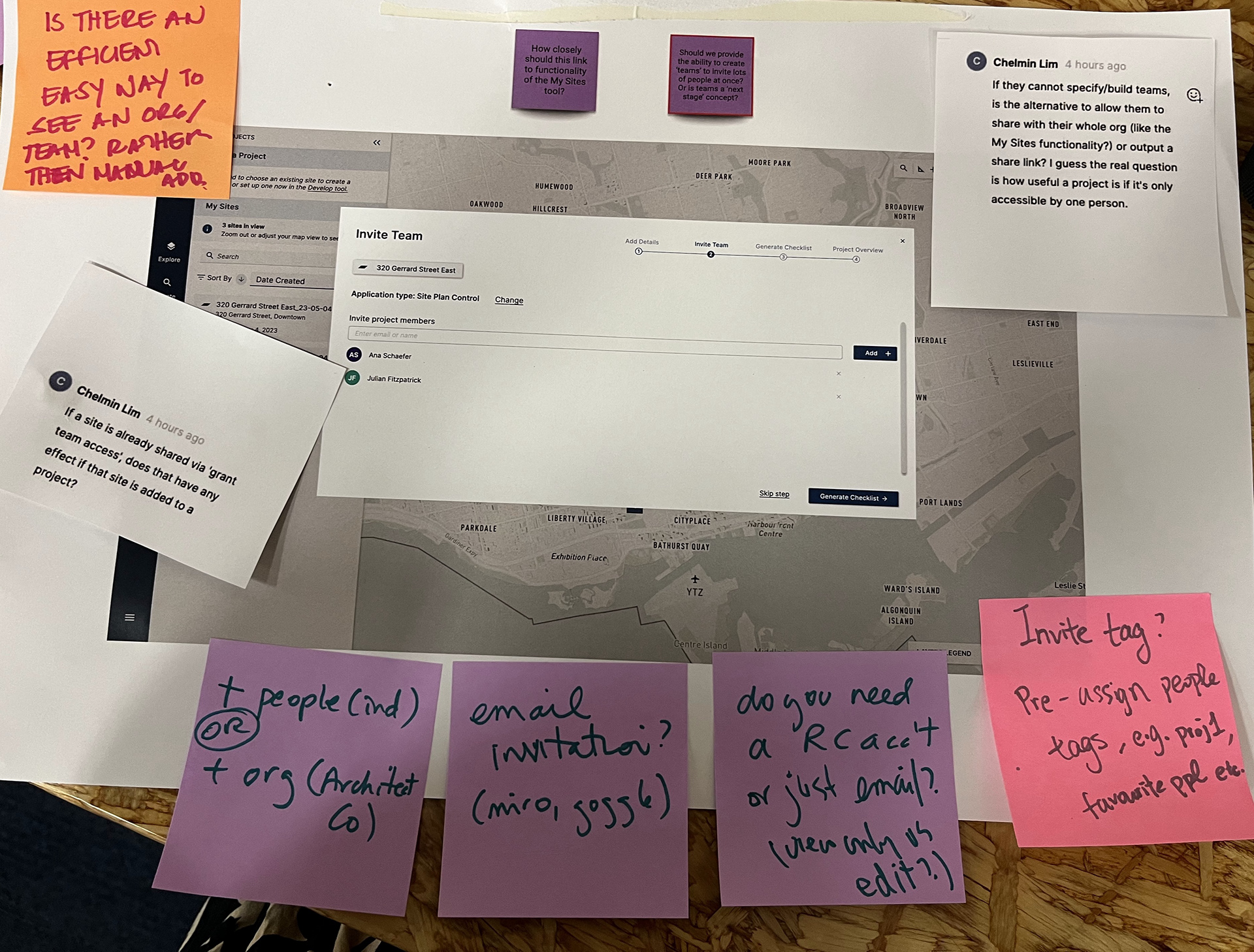
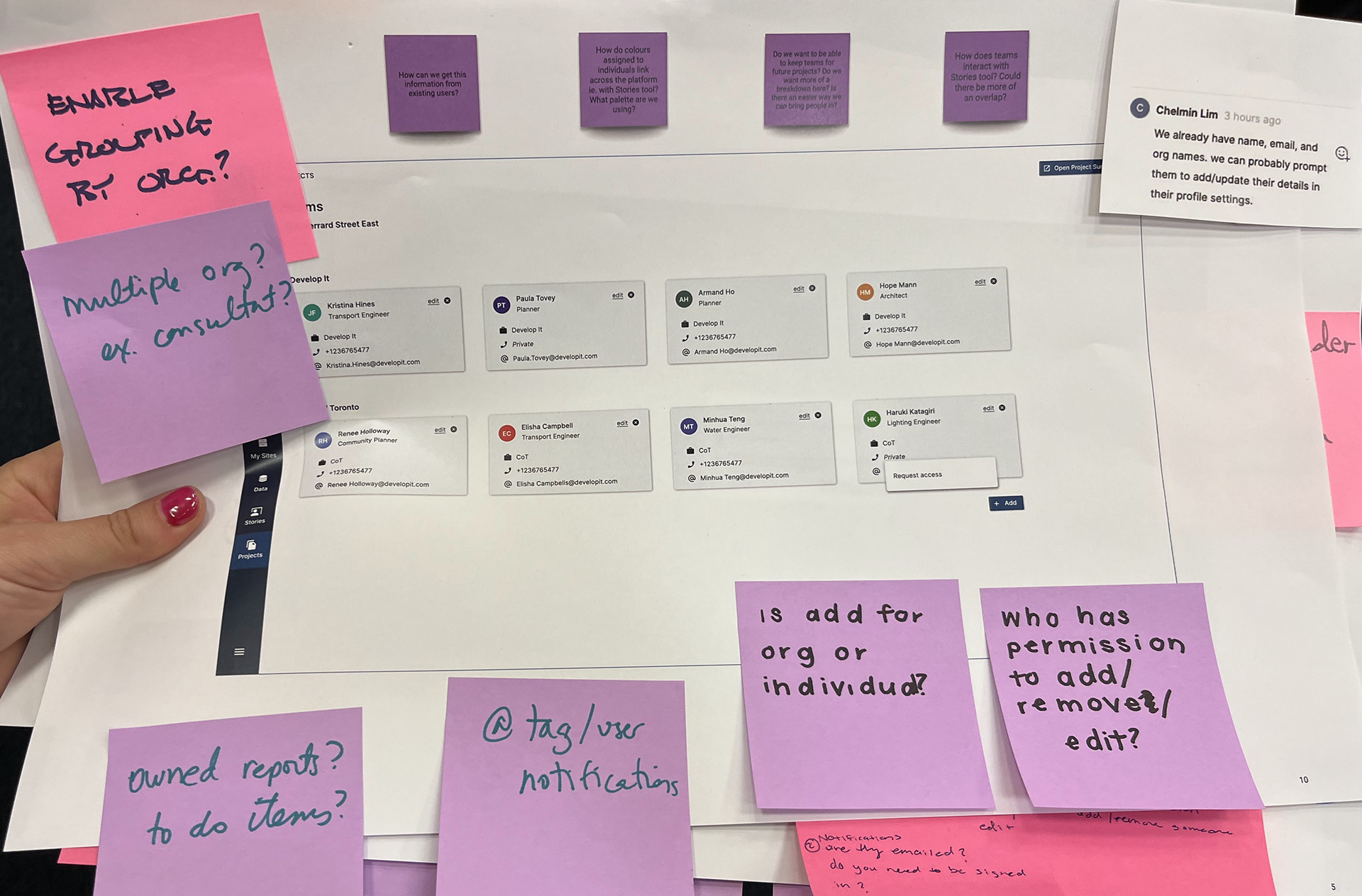
With our team of 20, I ran a design workshop including a Crazy 8s exercise, concept refinement, clustering ideas into themes and dot voting. This allowed us pool ideas from a subject experts in the team, identify our key opportunities, and built project buy in with the team. The best ideas included visual indicators of when others are viewing a file you are in, notifying users when a file you own is edited and being able to invite users from other organisations to a project team.
External workshops
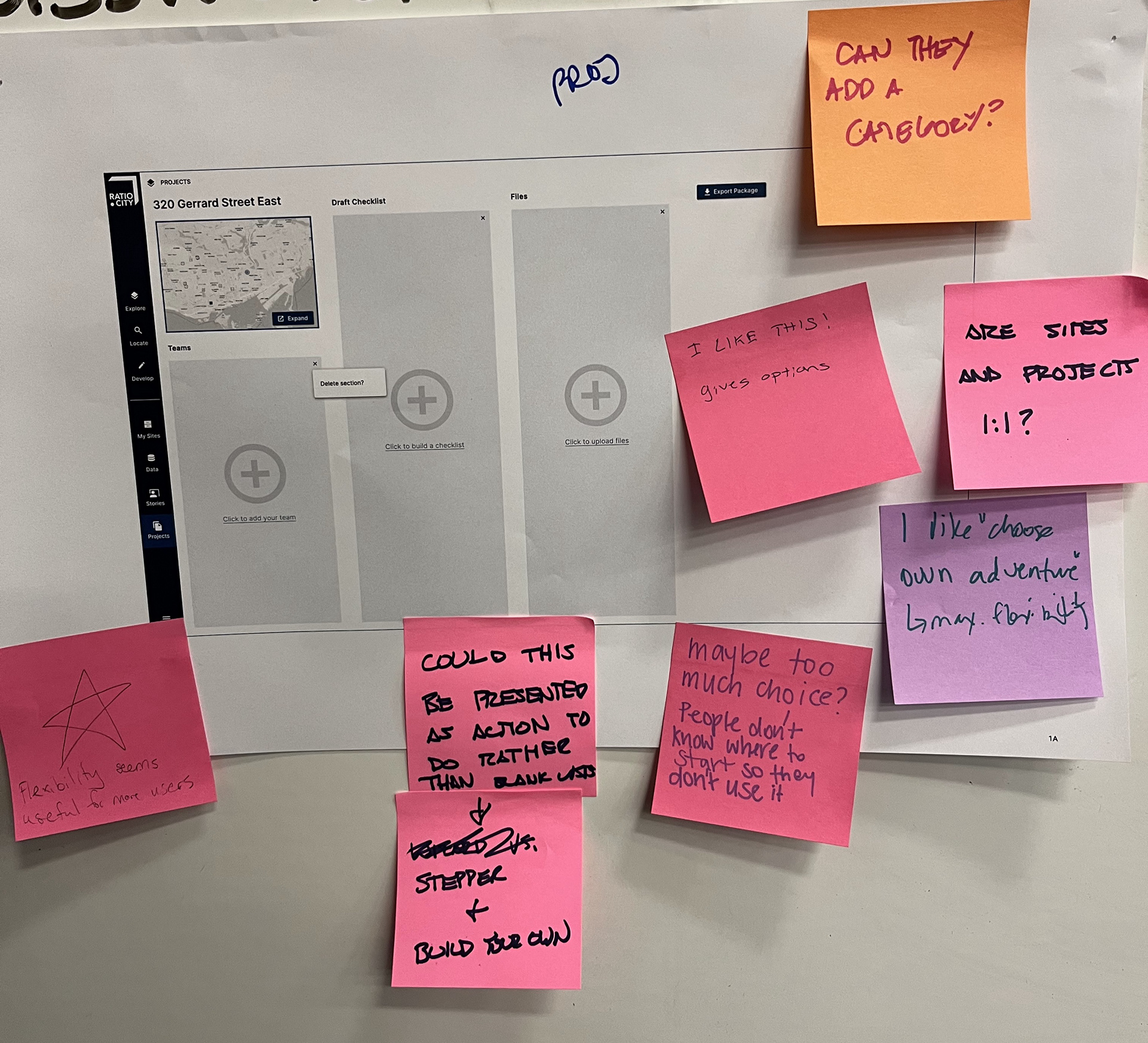
I took the strongest ideas from our workshop and drafted lo-fi wireframes to carry through into concept testing with our GIS student users. From these workshops, we were able to define our MVP user flow.
Defining the MVP
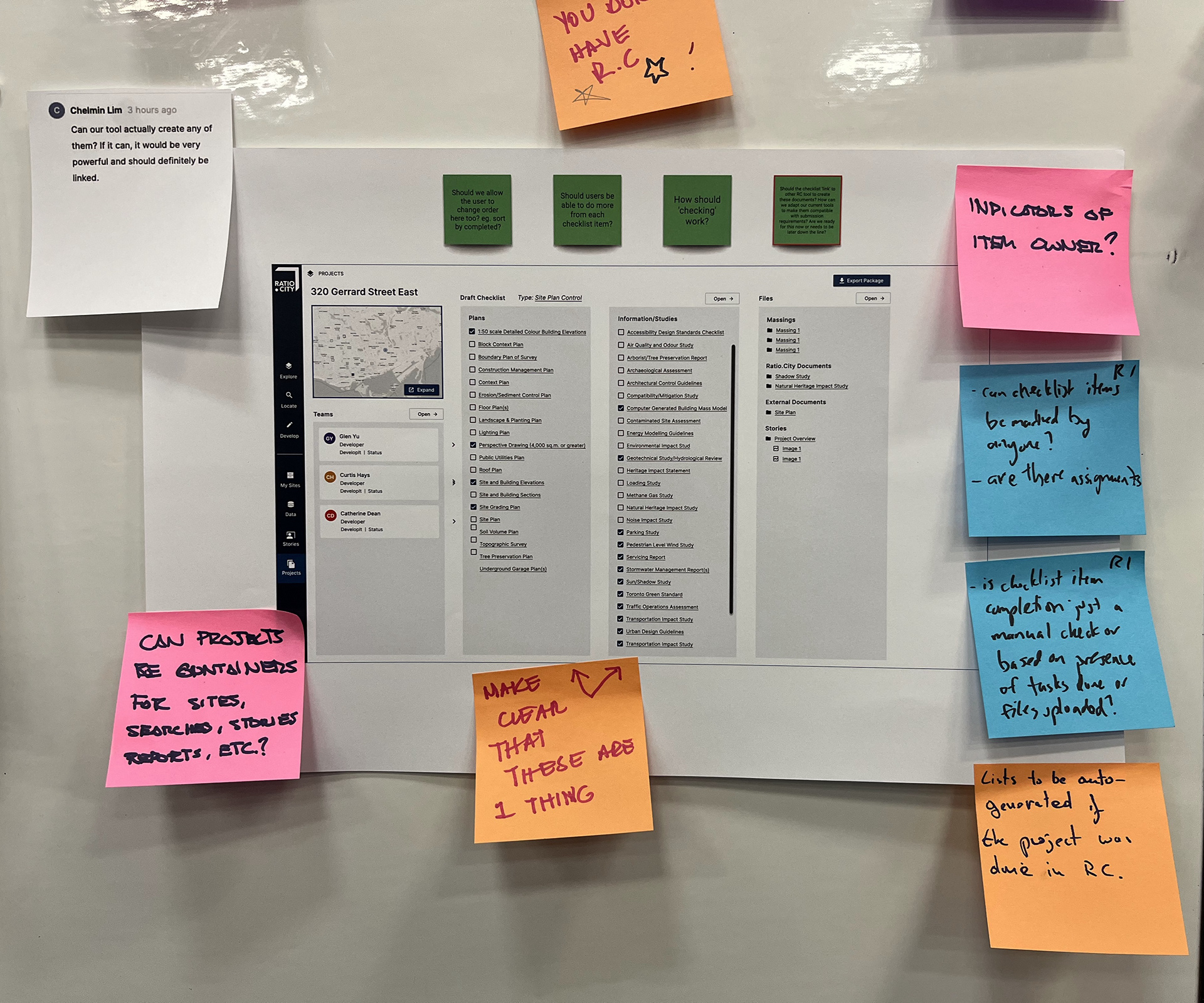
From initial testing, we were able to identify key project requirements and distill the MVP.
MVP requirements
• Allow users to create, name, and manage multiple projects for easy organization and navigation.
• Create a user-friendly interface with a clean layout and easy-to-navigate menus.
• Allow users to control the visibility of their project data, granting different levels of access to collaborators.
• Implement user roles and permissions to ensure that only authorized users can access, modify, or delete project data.
• Design the tool to handle a growing number of projects, users, and files without sacrificing performance.
• Create a user-friendly interface with a clean layout and easy-to-navigate menus.
• Allow users to control the visibility of their project data, granting different levels of access to collaborators.
• Implement user roles and permissions to ensure that only authorized users can access, modify, or delete project data.
• Design the tool to handle a growing number of projects, users, and files without sacrificing performance.
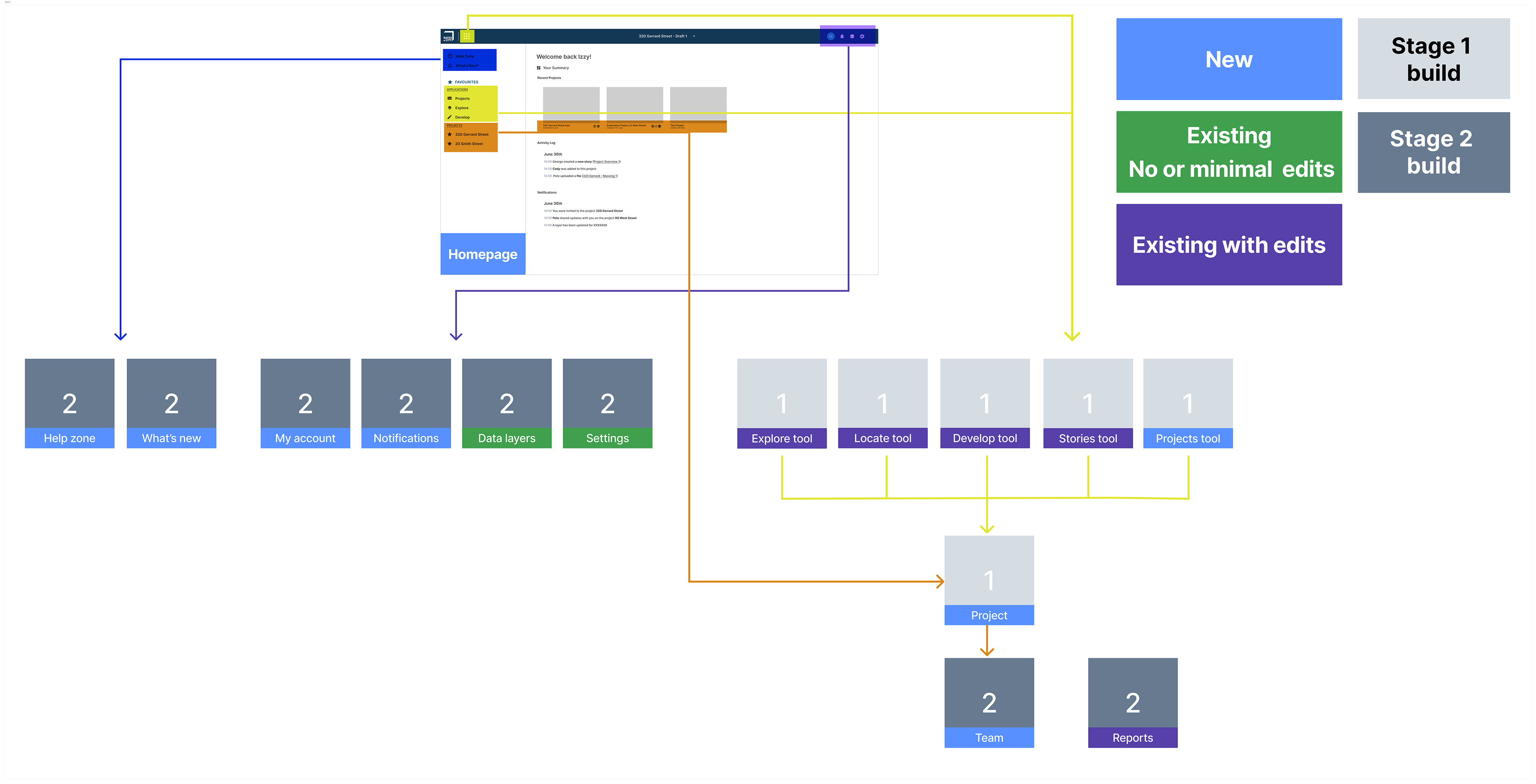
I created a basic site map to outline how the new features would connect to our existing tools.
User testing
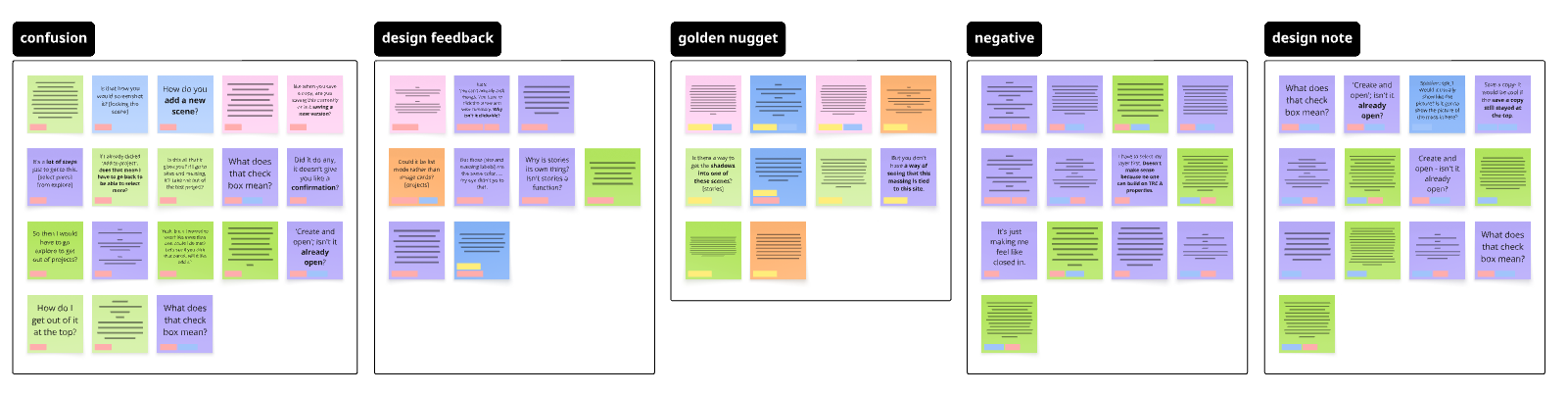
Concept testing was conducted with our 12 test users using mid-fi prototypes. Insights were clustered and pain points addressed.
• Users found the new navigation bar confusing; this tool grouping did not make sense to them. 67% of users clicked the projects menu when looking for the Explore tool.
• Confusion over collaborative working; concerns still on saving over others' files. We need to find ways to build trust, or our customers will not use these features.
• Positive feedback on interface for projects and concept of 'Teams'
Following design amends and creation of a hi-fi prototype, we ran an unmoderated test in Useberry to test some concepts that were identified as potentially challenging during our user tests.
We used 20 testers in the house building industry.
This was specifically around the idea of working on files as part of a team:• Do users understand when someone else is working on a file?
• Do they understand the options available to them?
• Is this process smooth and pain free?
• Do they understand the options available to them?
• Is this process smooth and pain free?
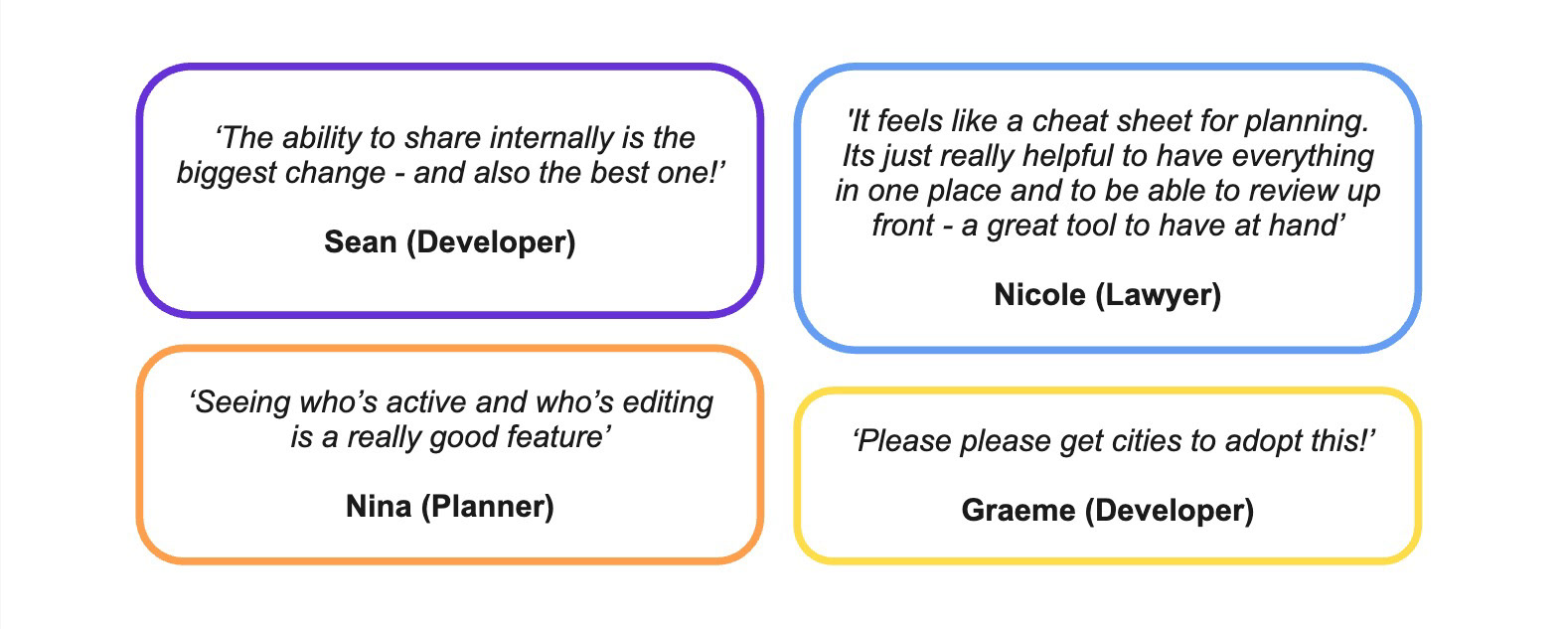
I then created our final designs, along with handover files for our Developers. After working together closely on the build, we released this in stages to our Beta users and conducted user acceptance testing and accessibility testing Feedback was very positive.
Project results
Results from 3 months in:
Site duplication has decreased by 70%
Users saving on average 1.5 sites per project and an average of 3 total files.
Average of 1.1 organisations per project - slow but steady growth! Learnings
• As a team we improved our agile workflow throughout this project; due to the scope creep, timing complications and general project complexity it was crucial to break work into sprints & create a structure release schedule.
• Testing with students has benefits as they are easier and quicker to recruit, but for this project it was not the best choice. We did not factor in the difference in digital literacy and trust levels between different age groups of technologies such as auto-save and collaboration. Luckily we could revisit testing with a group of paying users before continuing with design.
• Testing with students has benefits as they are easier and quicker to recruit, but for this project it was not the best choice. We did not factor in the difference in digital literacy and trust levels between different age groups of technologies such as auto-save and collaboration. Luckily we could revisit testing with a group of paying users before continuing with design.